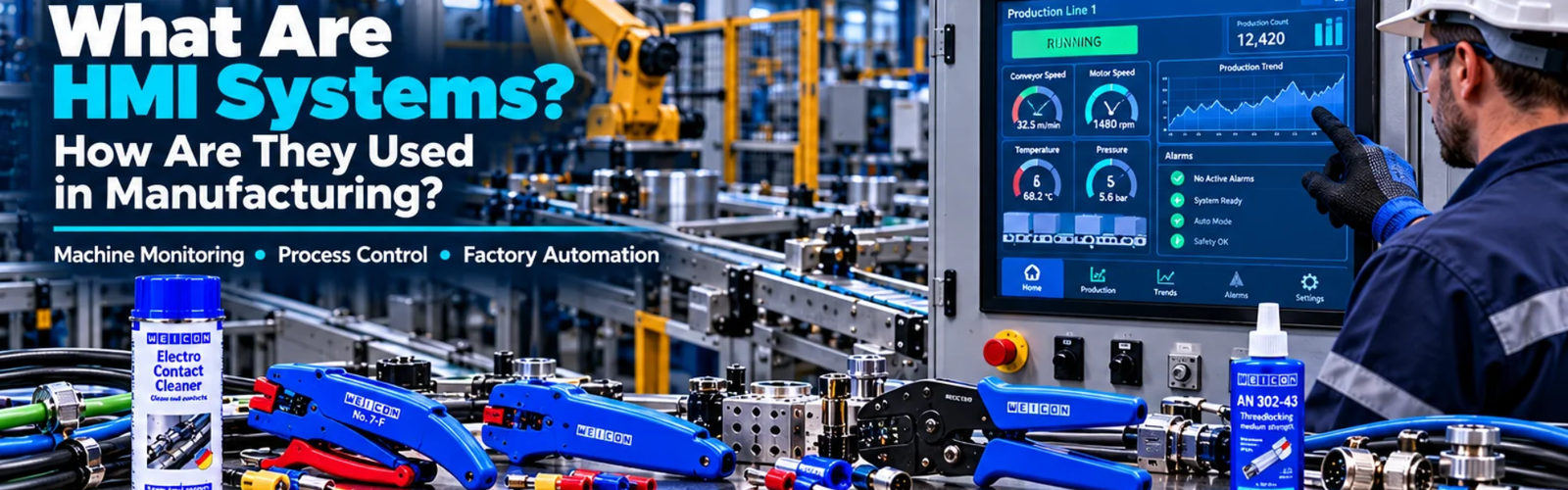
What Are HMI Systems and How Are They Used in Manufacturing?
Admin
|
27 Oct 2026
|
12 min read
|
71 views
What Are HMI Systems and How Are They Used in Manufacturing?
Modern manufacturing systems rely on automation to improve productivity, consistency, safety, and operational visibility. But even highly automated machines still need a way for people to interact with them.
This is where HMI systems come into play.
A Human Machine Interface, commonly known as an HMI, provides a visual and interactive connection between an operator and an industrial machine or automated process. Instead of relying entirely on switches, indicator lights, gauges, and manual controls, operators can use an HMI screen to monitor machine conditions, change settings, acknowledge alarms, view production information, and control equipment.
From individual machines and packaging lines to large manufacturing plants, HMIs have become an important part of modern industrial automation.
In this guide, we explain what an HMI is, how it works, the different types of HMI systems, how HMIs communicate with PLCs and other equipment, common manufacturing applications, benefits, design considerations, common problems, and how to choose the right HMI for an industrial application.
What Is an HMI?
HMI stands for Human Machine Interface.
It is a hardware and software system that allows a person to interact with a machine, production system, or industrial process.
An HMI can display information such as:
- Machine status
- Motor speed
- Temperature
- Pressure
- Production count
- Equipment alarms
- Process values
- Fault conditions
- Operating modes
- Maintenance information
Depending on the system, operators can also use the HMI to:
- Start or stop equipment
- Change operating parameters
- Adjust speed
- Set temperature
- Change production settings
- Select operating modes
- Acknowledge alarms
- View historical information
In simple terms:
The HMI is the interface through which an operator communicates with an automated machine.
Why Are HMI Systems Important in Manufacturing?
A modern manufacturing machine can contain dozens or even hundreds of sensors, motors, drives, valves and other devices.
Without an HMI, understanding what the machine is doing can be difficult.
An HMI brings important information together into a visual interface.
For example, instead of checking multiple physical instruments, an operator might see:
Production Line
- Conveyor: RUNNING
- Motor Speed: 45 Hz
- Temperature: 72°C
- Production Count: 1,248
- Pump: RUNNING
- Tank Level: 68%
- System Status: NORMAL
This gives the operator a much clearer picture of the process.
How Does an HMI Work?
An HMI normally works together with a controller such as a PLC.
A simplified architecture looks like this:
Sensors → PLC → HMI
and:
HMI → PLC → Machine
The PLC receives information from sensors and field devices.
It processes this information according to its programmed logic.
The HMI communicates with the PLC and displays the relevant information to the operator.
When an operator changes a setting on the HMI, the command can be sent back to the PLC, which then controls the appropriate equipment.
HMI Example
Consider an automated conveyor system.
The system may contain:
- Proximity sensors
- Motor
- VFD
- PLC
- HMI
The process could work like this:
Step 1: Sensor Detects Product
A sensor detects a product arriving on the conveyor.
Step 2: PLC Processes the Signal
The PLC receives the sensor signal.
Step 3: PLC Controls the Machine
The PLC sends the appropriate command to the VFD or motor-control system.
Step 4: HMI Displays Information
The HMI displays:
Conveyor Status: RUNNING
Motor Speed: 40 Hz
Production Count: 825
Step 5: Operator Makes a Change
The operator changes the required conveyor speed through the HMI.
Step 6: PLC Receives the Command
The PLC receives the new setpoint and adjusts the machine accordingly.
This creates a communication loop between the operator, HMI, PLC and machine.
Main Components of an HMI System
An HMI system generally consists of several elements.
1. HMI Hardware
The physical HMI device usually includes:
- Display
- Processor
- Memory
- Communication interfaces
- Touchscreen or physical controls
- Mounting system
Industrial HMIs are designed to operate in demanding environments.
2. HMI Software
The software is used to create the visual interface.
Engineers can design screens containing:
- Buttons
- Indicators
- Graphs
- Gauges
- Alarms
- Tables
- Status displays
- Input fields
- Trends
The software also determines how the HMI communicates with the control system.
3. PLC or Controller
The HMI usually communicates with a PLC or another industrial controller.
The PLC handles the machine logic while the HMI provides the operator interface.
4. Communication Network
The HMI and PLC need a communication method to exchange information.
Depending on the equipment, industrial systems can use protocols and networks such as:
- Ethernet-based communication
- Modbus
- PROFINET
- EtherNet/IP
- CAN-based communication
- Manufacturer-specific protocols
The selected communication method depends on the control architecture and equipment being used.
HMI vs PLC
One of the most common questions beginners have is:
Is an HMI the same as a PLC?
No.
They have different roles.
| PLC | HMI |
| Controls the machine | Provides operator interface |
| Executes control logic | Displays information |
| Processes inputs | Allows operator interaction |
| Controls outputs | Displays alarms and status |
| Runs automation program | Provides visualisation |
A simple way to remember it is:
PLC = Brain of the control system
HMI = Interface between human and machine
The two systems usually work together.
Types of HMI Systems
HMI systems can be classified in several ways.
1. Basic Operator Panels
These are simple HMIs designed for straightforward applications.
They may provide:
- Start/stop controls
- Status indicators
- Basic alarms
- Simple parameter settings
They are suitable for smaller machines.
2. Touchscreen HMIs
Touchscreen HMIs are widely used in modern industrial automation.
Operators can interact directly with graphical controls.
Typical functions include:
- Navigation buttons
- Setpoint entry
- Alarm acknowledgement
- Machine control
- Data visualisation
3. Panel PCs
A panel PC combines industrial computing hardware with a display.
These systems can support more complex applications and software.
They may be used where operators require:
- Advanced visualisation
- Larger data sets
- Multiple applications
- Browser-based interfaces
- Manufacturing software integration
4. Web-Based HMI
Web-based HMI systems allow authorised users to access industrial information through a web interface.
Depending on the architecture, this can provide access from:
- Industrial computers
- Tablets
- Laptops
- Other networked devices
Security and network architecture are particularly important when implementing connected interfaces.
HMI Screens in Manufacturing
A well-designed HMI normally uses multiple screens rather than trying to display everything on one page.
Common screens include:
Home Screen
Provides an overview of the machine.
Process Screen
Shows the current process conditions.
Manual Control Screen
Allows authorised operators or technicians to manually control equipment.
Alarm Screen
Shows active and historical alarms.
Trend Screen
Displays changes in process variables over time.
Settings Screen
Allows authorised users to modify machine parameters.
Maintenance Screen
Provides information useful for maintenance personnel.
HMI Alarms
One of the most valuable HMI functions is alarm management.
Instead of simply displaying that a machine has stopped, the HMI can provide information about the problem.
For example:
MOTOR OVERLOAD
or:
HIGH TEMPERATURE
or:
LOW TANK LEVEL
This helps operators understand what requires attention.
A good alarm system should provide useful information without overwhelming the operator with unnecessary messages.
HMI Trends and Data Visualisation
HMIs can also display process information visually.
For example, an operator may view a graph showing:
- Temperature over time
- Pressure over time
- Motor speed
- Production rate
- Tank level
- Energy consumption
Trends can help operators and maintenance teams identify changes in machine behaviour.
For example, if motor temperature gradually increases over several production cycles, maintenance personnel may investigate the cause before the motor develops a serious fault.
HMI and Production Monitoring
Manufacturing companies increasingly need visibility into production performance.
An HMI can display information such as:
- Production quantity
- Target quantity
- Cycle time
- Machine status
- Downtime
- Reject quantity
- Production rate
This gives operators immediate feedback about the performance of the machine or production line.
HMI Applications in Manufacturing
HMIs are used across many manufacturing applications.
Packaging Machines
HMIs can control and monitor:
- Conveyor speed
- Filling systems
- Sealing systems
- Labelling
- Product counts
- Machine alarms
Operators can quickly change production parameters through the interface.
CNC Machines
In CNC environments, interfaces can provide information about:
- Machine status
- Program status
- Tool information
- Operating conditions
- Alarms
- Production information
The exact interface depends on the machine and control architecture.
Conveyor Systems
HMIs can provide:
- Conveyor status
- Motor status
- Speed settings
- Product counts
- Fault information
- Emergency-stop status
This is particularly useful when multiple conveyors are operating as part of a larger material-handling system.
Pumping Systems
An HMI can display:
- Pump status
- Pressure
- Flow
- Tank level
- Motor speed
- Fault conditions
Operators can also control pumps and adjust parameters where permitted by the system.
Food Processing
HMIs can be used to monitor and control:
- Temperature
- Pressure
- Flow
- Mixing
- Production sequences
- Cleaning processes
They can also help operators maintain consistent process parameters.
Pharmaceutical Manufacturing
HMIs can provide visualisation and control for automated processes involving:
- Temperature
- Pressure
- Flow
- Mixing
- Batch processes
Data handling, validation and access control can be particularly important in regulated environments.
HMI Systems in Mining
Mining operations can involve large numbers of machines operating continuously.
HMIs can provide operators with information about:
- Conveyor systems
- Pumps
- Motors
- Crushing equipment
- Material handling
- Processing systems
- Alarms
- Equipment status
In remote or demanding environments, clear visualisation can make monitoring and troubleshooting more efficient.
For Western Australian mining and industrial operations, HMI systems may form part of larger automation and control architectures used across processing plants, pumping systems and material-handling equipment.
HMI and VFDs
HMIs can communicate with VFDs through the control system or directly, depending on the architecture.
An HMI may allow an operator to view:
- Motor speed
- Frequency
- Current
- Drive status
- Fault codes
The operator may also be able to adjust permitted settings.
For example:
Conveyor Speed
Current: 40 Hz
Required: 45 Hz
The HMI sends the required command through the control architecture, allowing the drive to adjust motor operation.
HMI and SCADA
HMI and SCADA are related but are not exactly the same thing.
HMI
Usually focuses on interaction with a particular machine, process or local control system.
SCADA
Supervisory Control and Data Acquisition systems are generally designed for broader supervisory monitoring and control across larger systems.
For example:
A factory may have:
Machine → Local HMI
while the overall facility may have:
Multiple Machines → PLCs → Network → SCADA
The HMI provides local operator interaction, while SCADA can provide a broader view of the overall operation.
Benefits of HMI Systems
A properly designed HMI can provide several benefits.
1. Easier Machine Operation
Operators can interact with complex machinery through an intuitive interface.
2. Better Visibility
Important machine information is available in one location.
3. Faster Troubleshooting
Alarms and diagnostic information can help identify problems.
4. Reduced Manual Monitoring
Operators do not need to constantly check individual gauges and indicators.
5. Improved Productivity
Operators can quickly identify machine conditions and respond accordingly.
6. Better Process Control
Setpoints and operating parameters can be managed more effectively.
7. Improved Maintenance
Diagnostic information and historical trends can help maintenance teams investigate issues.
What Makes a Good HMI Design?
Simply having an HMI does not guarantee an effective automation system.
The interface should be designed around the operator.
A good HMI should be:
Simple
Operators should be able to understand important information quickly.
Consistent
Buttons, symbols and navigation should behave consistently throughout the system.
Clear
Critical information should be easy to see.
Logical
Screens should follow the actual machine process.
Action-Oriented
Important alarms and faults should clearly indicate what requires attention.
Common HMI Design Mistakes
Several design mistakes can reduce the effectiveness of an HMI.
Too Much Information
Trying to display everything on one screen can make the interface difficult to understand.
Poor Navigation
Operators should not have to search through multiple unnecessary screens to find important information.
Excessive Alarms
Too many alarms can cause operators to ignore important warnings.
Unclear Labels
Buttons and indicators should clearly communicate their purpose.
Poor Colour Usage
Colour should be used meaningfully rather than simply decorating the interface.
No User Access Control
Critical settings should not necessarily be accessible to every operator.
HMI Security
As industrial systems become more connected, cybersecurity becomes increasingly important.
An HMI can provide access to important machine functions, so organisations should consider:
- User authentication
- Access permissions
- Password policies
- Network segmentation
- Secure remote access
- Software updates
- Backup procedures
- Audit trails where required
An operator should only have access to functions necessary for their role.
For example:
Operator
- Start/stop machine
- View status
- Acknowledge alarms
Maintenance
- Access diagnostics
- Perform maintenance functions
- View additional system information
Engineer/Administrator
- Configure advanced settings
- Modify authorised parameters
- Manage system configuration
How to Select the Right HMI
Choosing an HMI should start with understanding the machine and operator requirements.
Consider the following:
Screen Size
How much information needs to be displayed?
Resolution
Will the interface contain detailed graphics or process visualisation?
Number of Tags
How many variables need to be monitored?
Communication
Which PLCs, drives and devices must the HMI communicate with?
Environmental Conditions
Will the HMI operate in:
- Dusty environments?
- Wet areas?
- High temperatures?
- Outdoor installations?
- High-vibration environments?
User Requirements
Will operators require:
- Touch control?
- Physical buttons?
- Multiple user levels?
- Recipe management?
- Historical trends?
- Alarm history?
Future Expansion
Will additional machines or data points need to be added later?
HMI Implementation Checklist
Before implementing an HMI system, consider:
| Requirement | Check |
| Machine/process requirements | ✓ |
| PLC compatibility | ✓ |
| Communication protocol | ✓ |
| Screen size | ✓ |
| Resolution | ✓ |
| Required tags | ✓ |
| Alarm requirements | ✓ |
| Trend requirements | ✓ |
| User access levels | ✓ |
| Environmental conditions | ✓ |
| Network architecture | ✓ |
| Cybersecurity | ✓ |
| Data storage requirements | ✓ |
| Future expansion | ✓ |
| Operator usability | ✓ |
The Future of HMI Systems
HMI technology continues to evolve alongside industrial automation.
Future-oriented systems are increasingly focused on:
- Connected machines
- Remote monitoring
- Advanced visualisation
- Mobile interfaces
- Industrial IoT
- Cloud-connected systems
- Data analytics
- Predictive maintenance
- Augmented reality
- Artificial intelligence
The role of the HMI is therefore expanding from simply controlling a machine toward helping people understand and manage increasingly complex industrial systems.
Frequently Asked Questions
What does HMI stand for?
HMI stands for Human Machine Interface.
What is the main purpose of an HMI?
The primary purpose of an HMI is to provide an interface through which operators can monitor and interact with industrial machines and processes.
Is an HMI a PLC?
No. A PLC executes control logic, while an HMI provides the operator interface.
Can an HMI control a motor?
An HMI can provide commands to the control system that ultimately controls a motor. The actual motor control may be handled by a PLC, VFD, contactor or another appropriate device.
Can an HMI work without a PLC?
Some HMI systems can communicate directly with certain devices, but in many industrial automation applications, the HMI works alongside a PLC or another industrial controller.
What industries use HMI systems?
HMIs are used across:
- Manufacturing
- Mining
- Food processing
- Packaging
- Water treatment
- Energy
- Pharmaceuticals
- Material handling
- Automotive
- Industrial automation
What is the difference between HMI and SCADA?
An HMI generally provides local operator interaction with a machine or process, while SCADA typically provides broader supervisory monitoring and control across multiple systems or an entire facility.
Conclusion
HMI systems have become an essential part of modern industrial automation.
They provide the connection between people and automated machinery, transforming complex machine data into information that operators can understand and act upon.
When properly designed, an HMI can help operators:
- Monitor equipment
- Control processes
- Respond to alarms
- Troubleshoot problems
- Adjust authorised parameters
- Track production
- Improve operational visibility
From a single automated machine to a large manufacturing facility, the right HMI architecture can make industrial systems easier to operate, monitor and maintain.
As manufacturing moves toward Industry 4.0, connected equipment, industrial IoT and data-driven operations, HMI systems will continue to play an important role in how people interact with increasingly intelligent machines.
Looking for Industrial Automation & HMI Solutions?
At LECA, we help businesses identify and source industrial automation and control solutions suited to their operational requirements.
From HMI systems, PLCs, VFDs and sensors to industrial automation components and control solutions, choosing the right technology starts with understanding the application.
Need help selecting the right HMI or industrial automation solution? Contact LECA today.
Explore Industrial Automation Products