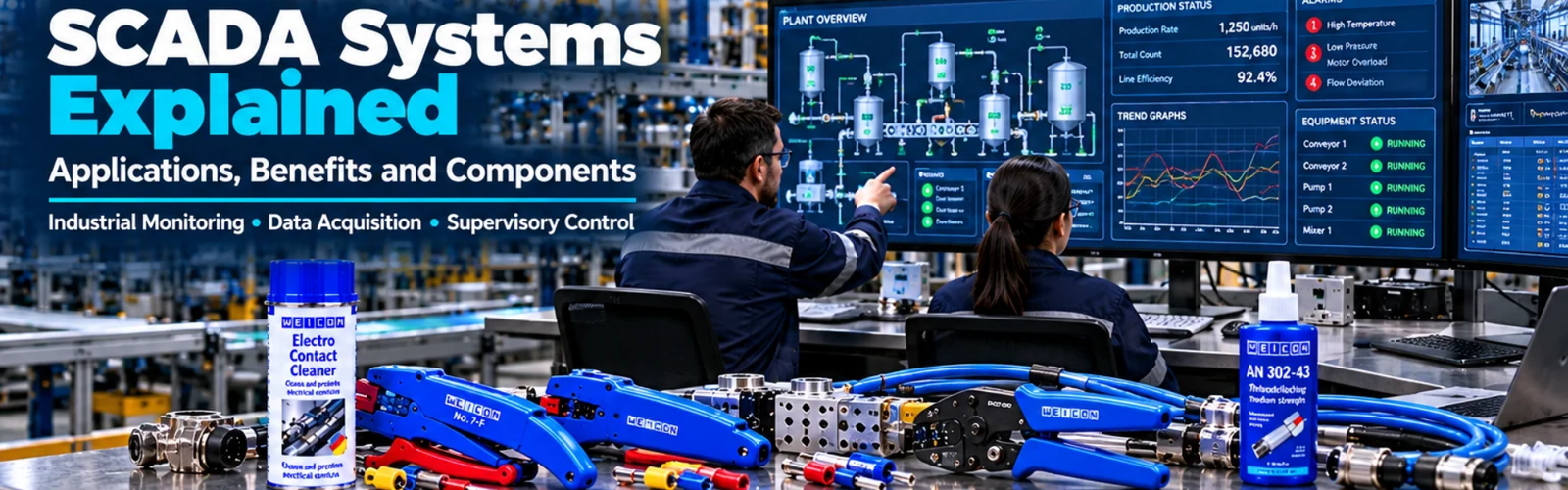
SCADA Systems Explained: Applications, Benefits and Components
Admin
|
28 Oct 2026
|
12 min read
|
110 views
SCADA Systems Explained: Applications, Benefits and Components
Modern industrial facilities can contain hundreds or even thousands of machines, sensors, controllers, motors, pumps, drives and other devices.
Monitoring all of this equipment manually is difficult, especially when operations run continuously or across large facilities.
This is where SCADA systems become important.
SCADA stands for Supervisory Control and Data Acquisition. It is a technology used to monitor, collect, visualise and, where appropriate, control industrial processes and equipment from a centralised system.
SCADA is widely used across manufacturing, mining, water treatment, energy, oil and gas, infrastructure, utilities and other industries where operators need visibility into complex processes.
But what exactly is SCADA? How does it work? What components make up a SCADA system? How is SCADA different from PLCs and HMIs? And what benefits can it provide to an industrial operation?
This guide explains the fundamentals of SCADA systems, their components, applications, architecture, benefits, limitations and important considerations when implementing a SCADA solution.
What Is SCADA?
SCADA stands for Supervisory Control and Data Acquisition.
A SCADA system is an industrial monitoring and control architecture designed to collect information from field equipment, present that information to operators and provide supervisory-level control of industrial processes.
A simplified SCADA system can be represented as:
Field Devices → PLC/RTU → Industrial Network → SCADA Server → Operator
Field devices collect information from the physical process.
PLCs or RTUs process and transmit that information.
The communication network carries the data.
The SCADA system collects and visualises the information.
Operators can then monitor the process and perform authorised supervisory actions.
What Does SCADA Actually Do?
A SCADA system typically performs four major functions:
1. Supervisory Control
Operators can monitor and control industrial equipment from a central interface.
2. Data Acquisition
The system collects information from sensors, PLCs, RTUs, drives and other devices.
3. Monitoring
Operators can see the current condition of machinery and processes.
4. Data Management
SCADA systems can store and display historical process information for analysis and operational decision-making.
For example, a manufacturing facility could use SCADA to monitor:
- Production lines
- Motor status
- Temperatures
- Pressures
- Tank levels
- Pump operation
- Production quantities
- Equipment alarms
How Does a SCADA System Work?
A SCADA system generally operates through several layers.
Layer 1: Field Devices
Sensors and instruments measure physical conditions.
Examples include:
- Temperature sensors
- Pressure sensors
- Flow meters
- Level sensors
- Proximity sensors
- Vibration sensors
Layer 2: Controllers
PLCs or RTUs receive field information and execute control logic.
Layer 3: Communication Network
Industrial networks transfer information between controllers and the SCADA infrastructure.
Layer 4: SCADA Software
SCADA software collects, processes and visualises the information.
Layer 5: Operators
Operators use workstations or control-room interfaces to monitor the process and perform authorised actions.
This creates a continuous flow of information:
Physical Process → Sensors → PLC/RTU → Network → SCADA → Operator
Main Components of a SCADA System
A SCADA architecture can contain several different components.
1. Sensors and Field Devices
Sensors are located close to the physical process.
They measure conditions such as:
- Temperature
- Pressure
- Flow
- Level
- Speed
- Position
- Vibration
- Electrical parameters
For example, a temperature sensor in a manufacturing process can send information to a PLC, which then makes the information available to the SCADA system.
2. PLC — Programmable Logic Controller
PLCs are commonly used as local controllers within SCADA architectures.
A PLC receives input information, executes programmed logic and controls outputs.
For example:
Temperature Sensor → PLC → Heater
The PLC can control the heater based on programmed conditions.
SCADA can then monitor the temperature, PLC status and other process information.
This distinction is important:
The PLC handles local control logic, while SCADA provides supervisory monitoring and control.
3. RTU — Remote Terminal Unit
RTUs are another type of field controller commonly associated with SCADA systems.
They are particularly useful for geographically distributed applications.
For example:
- Water distribution
- Electrical infrastructure
- Pipelines
- Remote pumping stations
- Utility networks
An RTU can collect information from remote equipment and communicate that information back to a central SCADA system.
4. SCADA Server
The SCADA server is responsible for important system functions such as collecting and processing data from connected devices.
Depending on the architecture, servers may handle:
- Data collection
- Communication
- Alarm processing
- Historical data
- User management
- System services
Large installations may use multiple servers for redundancy and reliability.
5. HMI
An HMI provides the visual interface through which operators interact with industrial equipment.
In smaller systems, an HMI may provide local machine control.
SCADA systems generally provide a broader supervisory interface.
For example:
HMI
Machine 1 → Local HMI
SCADA
Machine 1 + Machine 2 + Machine 3 + Utilities → Central SCADA
SCADA can therefore provide a higher-level overview of the overall facility or process.
6. Engineering Workstation
An engineering workstation is used by engineers or system administrators to configure and maintain the SCADA system.
Depending on the platform, engineers may use it to:
- Configure screens
- Add tags
- Configure alarms
- Create trends
- Modify communication settings
- Manage system configuration
- Maintain system databases
Access should be appropriately controlled.
7. Operator Workstation
Operators use workstation interfaces to monitor the process.
A workstation may display:
- Process diagrams
- Equipment status
- Alarms
- Trends
- Production information
- Equipment values
Operators can also perform authorised supervisory actions.
8. Historian / Historical Database
Industrial processes generate large amounts of information.
A historian or historical database can store process data over time.
For example:
Motor Temperature
08:00 — 64°C
09:00 — 66°C
10:00 — 69°C
11:00 — 73°C
This historical information can help teams analyse process behaviour and investigate problems.
9. Industrial Network
Communication is fundamental to SCADA.
The system needs to exchange information between:
- PLCs
- RTUs
- Sensors
- Drives
- HMIs
- SCADA servers
- Workstations
Industrial communication technologies can include:
- Ethernet-based networks
- Modbus
- PROFINET
- EtherNet/IP
- OPC-based communication
- Other vendor or application-specific protocols
The appropriate communication architecture depends on the equipment and requirements of the installation.
10. Alarms
Alarm management is an important SCADA function.
A SCADA system can alert operators when a process moves outside defined operating conditions.
Examples include:
- High temperature
- Low pressure
- Motor overload
- Pump failure
- High tank level
- Communication failure
- Equipment fault
A properly designed alarm system helps operators identify conditions requiring attention.
SCADA Architecture Explained
A simplified SCADA architecture looks like this:
FIELD LEVEL
Sensors → Motors → Valves → Drives
↓
CONTROL LEVEL
PLC / RTU
↓
COMMUNICATION LEVEL
Industrial Network
↓
SUPERVISORY LEVEL
SCADA Server
↓
OPERATOR LEVEL
HMI / Control Room Workstation
↓
DATA LEVEL
Historian / Reports / Analytics
Each level has a different role.
SCADA vs HMI
SCADA and HMI are often confused because both provide visual interfaces.
However, they typically operate at different levels.
| HMI | SCADA |
| Usually local | Often facility-wide |
| Machine/process focused | Supervisory/process focused |
| Often connected to one PLC | Can connect to many controllers |
| Local monitoring | Centralised monitoring |
| Smaller systems | Larger systems |
| Limited historical capabilities depending on system | Stronger data and historical capabilities |
For example:
A packaging machine may have an HMI mounted directly on the machine.
A manufacturing facility may use SCADA to monitor multiple packaging machines, conveyors, utilities and other systems from a central control room.
SCADA vs PLC
A PLC and SCADA system also perform different functions.
PLC
The PLC is responsible for executing control logic.
It can:
- Read inputs
- Process logic
- Control outputs
- Run sequences
- Manage machine operation
SCADA
SCADA provides supervisory-level functions such as:
- Visualisation
- Data acquisition
- Alarm management
- Historical data
- Trends
- Reporting
- Supervisory control
A useful way to remember the difference is:
PLC = Local control
SCADA = Supervisory monitoring and control
SCADA Applications in Manufacturing
Manufacturing is one of the major applications for SCADA.
SCADA can monitor:
- Production lines
- Conveyors
- Motors
- Pumps
- Compressors
- Packaging equipment
- Processing equipment
- Utilities
For example, a manufacturing facility could use SCADA to display the status of multiple production lines on a central control-room screen.
Operators could see:
Line 1 — RUNNING
Line 2 — STOPPED
Line 3 — FAULT
Line 4 — MAINTENANCE
This provides a much broader operational view than an individual machine HMI.
SCADA in Mining
Mining operations often involve large and complex processes distributed across significant areas.
SCADA systems can be used to monitor:
- Crushing plants
- Conveyors
- Pumping systems
- Processing plants
- Water systems
- Ventilation
- Material handling
- Electrical systems
Mining environments may also require systems capable of operating reliably under demanding conditions.
For Western Australian mining operations, SCADA can play an important role in centralised monitoring of processing and infrastructure systems, particularly where equipment is distributed across large sites.
SCADA in Water and Wastewater
Water infrastructure is another major SCADA application.
A system may monitor:
- Reservoir levels
- Pump stations
- Water pressure
- Flow rates
- Treatment processes
- Valve positions
- Equipment status
Because water infrastructure can be geographically distributed, SCADA can provide operators with a centralised view of multiple locations.
SCADA in Energy and Utilities
SCADA systems are widely used for monitoring and managing infrastructure such as:
- Electrical distribution
- Power generation
- Substations
- Renewable energy systems
- Utility networks
Operators can monitor equipment status and electrical parameters from centralised systems.
SCADA in Oil and Gas
Oil and gas facilities can involve complex processes and geographically distributed equipment.
SCADA can be used for monitoring:
- Pipelines
- Pumps
- Pressure
- Flow
- Tank levels
- Valves
- Processing equipment
Because these systems can involve safety-critical processes, SCADA architecture must be designed with appropriate reliability, security and operational requirements.
SCADA and Data Logging
One of the major advantages of SCADA is its ability to collect operational information over time.
Instead of only seeing the current value, organisations can analyse historical information.
For example:
Current Pressure
7.2 bar
Historical Trend
The system could show pressure over:
- One hour
- One day
- One week
- One month
This can help identify trends and abnormal behaviour.
SCADA Trends
Trend displays turn historical data into visual information.
For example, an operator might compare:
Temperature vs Time
or:
Production Rate vs Time
or:
Energy Consumption vs Production
This can help engineers identify patterns and investigate operational issues.
SCADA Alarm Management
A SCADA system can provide a central location for alarms from multiple pieces of equipment.
For example:
10:42 — Pump 3 — Motor Overload
10:44 — Conveyor 2 — Emergency Stop
10:46 — Tank 4 — High Level
The operator can investigate each condition and take appropriate action.
Good alarm management is important because excessive or poorly configured alarms can make it difficult to identify genuinely important events.
Benefits of SCADA Systems
A properly designed SCADA system can provide significant operational benefits.
1. Centralised Monitoring
Operators can monitor multiple systems from a central location.
2. Improved Visibility
Important equipment and process information can be displayed in real time.
3. Faster Troubleshooting
Alarms, diagnostics and historical data can help engineers identify problems.
4. Historical Data
Data can be stored for later analysis.
5. Better Decision-Making
Historical and real-time information can support operational decisions.
6. Improved Productivity
Operators can identify production problems more quickly.
7. Reduced Manual Monitoring
Automated data collection reduces the need to manually record process values.
8. Better Maintenance Planning
Historical equipment information can help maintenance teams identify recurring issues and changing operating conditions.
SCADA and Predictive Maintenance
SCADA can contribute to predictive maintenance strategies by collecting historical operating information.
For example, a facility could monitor:
- Motor temperature
- Vibration
- Current
- Operating hours
- Number of starts
- Equipment alarms
A gradual change in these values could indicate that equipment requires investigation.
SCADA itself does not automatically make every system predictive, but the data it collects can become an important foundation for more advanced analytics.
SCADA and Industry 4.0
Industry 4.0 is increasing the importance of connected industrial systems.
A modern architecture may look like:
Sensors → PLC → SCADA → Historian → Analytics
Additional systems may connect to the SCADA environment to provide:
- Production analytics
- Energy monitoring
- Maintenance information
- Performance dashboards
- Business reporting
This creates a connection between operational technology and higher-level information systems.
SCADA Cybersecurity
As SCADA systems become more connected, cybersecurity becomes increasingly important.
Industrial organisations should consider:
- User authentication
- Role-based access
- Network segmentation
- Secure remote access
- Firewall configuration
- Software updates
- Backup and recovery
- Monitoring
- Access logging
- Protection of industrial networks
SCADA systems should not simply be connected to broader networks without considering the security implications.
Cybersecurity should be incorporated into the system architecture from the beginning.
Common SCADA Challenges
SCADA systems can provide significant benefits, but implementation also presents challenges.
Complex Integration
Connecting equipment from different manufacturers can require careful engineering.
Legacy Equipment
Older PLCs and controllers may use outdated communication technologies.
Network Reliability
Loss of communication can affect visibility and supervisory functions.
Data Overload
Collecting too much information without a clear purpose can make systems difficult to manage.
Alarm Overload
Poorly configured alarms can overwhelm operators.
Cybersecurity
Increasing connectivity creates additional security considerations.
Maintenance
SCADA software, servers, networks and field equipment all require ongoing maintenance.
How to Plan a SCADA System
Before implementing SCADA, organisations should define the operational requirements.
Step 1: Identify the Process
Understand what equipment and processes need monitoring.
Step 2: Identify Field Devices
Determine what sensors, meters, drives and other devices provide the required information.
Step 3: Determine Control Architecture
Identify the PLCs, RTUs and other controllers involved.
Step 4: Define Communication
Determine how devices will communicate with the SCADA infrastructure.
Step 5: Define Operator Requirements
Determine what information operators need to see and what controls they require.
Step 6: Define Alarms
Identify conditions that genuinely require operator attention.
Step 7: Define Historical Data
Determine what information needs to be stored and for how long.
Step 8: Plan Cybersecurity
Consider access control, network architecture and system protection.
Step 9: Consider Future Expansion
Design the system with future equipment and additional data requirements in mind.
SCADA Implementation Checklist
| Requirement | Check |
| Process requirements | ✓ |
| Field devices | ✓ |
| PLC/RTU architecture | ✓ |
| Communication network | ✓ |
| SCADA software | ✓ |
| Operator workstations | ✓ |
| Alarm strategy | ✓ |
| Historical data | ✓ |
| Reporting requirements | ✓ |
| User permissions | ✓ |
| Cybersecurity | ✓ |
| Backup strategy | ✓ |
| Network redundancy | ✓ |
| Future expansion | ✓ |
| Maintenance strategy | ✓ |
The Future of SCADA
SCADA systems are evolving alongside industrial automation.
Modern systems increasingly incorporate:
- Industrial IoT
- Advanced analytics
- Remote monitoring
- Cloud-connected architectures
- Mobile dashboards
- Edge computing
- Machine learning
- Predictive maintenance
- Energy monitoring
However, the fundamental purpose remains the same:
Collect useful industrial information, make it understandable to operators, and enable appropriate supervisory control.
The future of SCADA is therefore not simply about collecting more data. It is about turning industrial data into useful operational information.
Frequently Asked Questions
What does SCADA stand for?
SCADA stands for Supervisory Control and Data Acquisition.
What is the main purpose of SCADA?
SCADA is used to monitor, collect, visualise and provide supervisory control of industrial processes and equipment.
Is SCADA a PLC?
No. A PLC is a controller that executes control logic, while SCADA is a supervisory monitoring and control system.
Is SCADA the same as an HMI?
No. An HMI generally provides local interaction with a machine or process, while SCADA typically provides broader supervisory monitoring across multiple systems.
Where is SCADA used?
SCADA is used in industries including:
- Manufacturing
- Mining
- Water and wastewater
- Energy
- Utilities
- Oil and gas
- Infrastructure
- Process industries
Does SCADA control machines?
SCADA can provide supervisory commands, but local machine control is generally handled by PLCs, RTUs or other dedicated controllers.
Can SCADA store historical data?
Yes. SCADA architectures can include historical databases or historians that store process information for later analysis.
Does SCADA improve maintenance?
It can support maintenance by providing equipment status, alarms and historical operating data. More advanced predictive maintenance strategies can use this data alongside other analytical technologies.
Conclusion
SCADA systems are an important part of modern industrial automation.
They connect information from field devices, PLCs, RTUs, drives and other industrial equipment and present that information to operators through a centralised supervisory environment.
From manufacturing plants and mining operations to water infrastructure and energy systems, SCADA provides businesses with greater visibility into their processes.
A well-designed SCADA system can help organisations:
- Monitor equipment
- Identify faults
- Analyse historical data
- Manage alarms
- Improve operational visibility
- Support maintenance
- Make better decisions
- Improve process efficiency
The key is to design SCADA around the actual operational requirements of the facility rather than simply collecting as much data as possible.
As industrial systems become increasingly connected, SCADA will continue to serve as an important bridge between physical equipment, automation systems, operators and industrial data.
Looking for SCADA & Industrial Automation Solutions?
At LECA, we help businesses identify and source industrial automation and control solutions suited to their operational requirements.
From PLCs, HMIs, SCADA systems, VFDs, sensors and industrial communication components to complete automation solutions, the right system starts with understanding the application.
Need help selecting the right SCADA or industrial automation solution? Contact LECA today.
Explore Industrial Automation Products